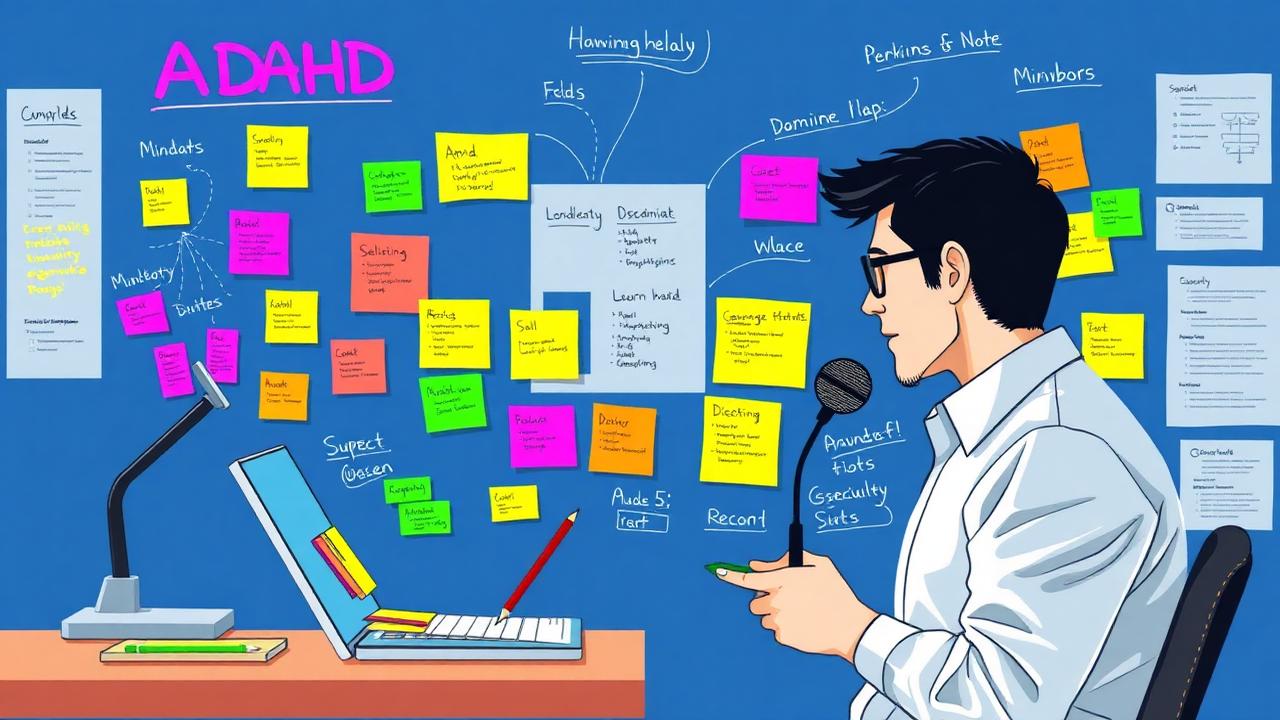
If you have ADHD, traditional note-taking advice probably makes you want to scream. Neat folders? Color-coded systems that require consistency? Notes you'll actually review later? Yeah, right.
Here's the truth: Your ADHD brain isn't broken. Traditional note-taking systems are just designed for neurotypical brains. They fail for ADHD because they require sustained attention (we have limited working memory), consistent habits (executive dysfunction makes this hard), delayed rewards (we need dopamine NOW), and rigid organization (our brains are associative, not linear).
The average person with ADHD creates 10+ notes per day but can only find 30% of them later. You lose 8+ hours per week searching for information you know you wrote down somewhere.
But there's hope. These 8 ADHD-optimized strategies work WITH your brain, not against it.
1. THE HYPERFOCUS CAPTURE METHOD
Your ADHD superpower: When you're interested, you can hyperfocus for hours. The problem: You forget to document what you learned. Solution: Capture-first, organize-never approach. When hyperfocusing, dump everything into one continuous note without worrying about structure or organization. Use voice typing if hands can't keep up with brain. Add timestamps automatically to track thinking process. Tag with #hyperfocus for easy retrieval. Let AI organize it later when hyperfocus ends.
Why it works: No organizational overhead during flow state. Captures racing thoughts before they vanish. AI handles boring organization part. You get dopamine from creating, not organizing.
Example workflow: Start voice recording when diving into new interest. Speak your thoughts naturally for 20 minutes. AI transcribes and organizes into structured note with headings, bullet points, and tags. You review and refine when ready (or never, it's already organized).
2. VISUAL NOTE-TAKING SYSTEM
ADHD brains are highly visual. Text-heavy notes are invisible to us. Solution: Make notes impossible to ignore with color coding by urgency (red = DO NOW, yellow = this week, green = someday), emoji categories (💼 work, 📚 learning, 💡 ideas, ❤️ personal), visual hierarchy (BIG HEADERS, smaller details), images and screenshots everywhere, mind maps for complex topics.
Why it works: Visual cortex is stronger than verbal memory in ADHD. Colors trigger dopamine (novelty = engagement). Spatial memory is often intact in ADHD. Scanning is easier than reading for us.
Pro tip: Use 3 colors maximum. More causes decision paralysis. Make system visible on main screen (out of sight = out of mind). Update colors during monthly review only.
3. VOICE-FIRST CAPTURE
Typing requires too many steps: Think of idea, open app, find right place, type coherently. By step 3, you've forgotten the idea. Solution: Voice notes as primary input with instant voice-to-text transcription, AI auto-categorization, hands-free capture, searchable text immediately.
Why it works: Speaking is faster than typing (150 vs 40 WPM). No context switching (can capture while doing other things). Lower executive function requirement. More natural for verbal processors.
Real-world use: Walking and sudden idea hits? Voice note. In car between meetings? Voice note. Too tired to type? Voice note. Meeting and need to remember something? Voice note. Lying in bed at 2 AM? Voice note.
4. DOPAMINE-DRIVEN ORGANIZATION
Traditional folders are boring. Your ADHD brain needs novelty and rewards. Solution: Gamified note-taking with streak counters (5 days of capturing notes!), achievement badges (100 notes milestone!), visual progress bars (folder is 80% organized!), satisfying animations when completing tasks, AI celebrates your wins.
Why it works: Dopamine is ADHD medication. We need immediate rewards. Gamification provides constant micro-rewards. Progress visibility maintains motivation.
Features that work: Daily streak counter for note creation. Visual folder fullness (seeing folders fill up is satisfying). Celebration animations when organizing. Level up system (Beginner → Organized → Master). Share achievements (external validation = dopamine).
5. WORKING MEMORY OFFLOAD
ADHD = limited working memory (can only hold 3-4 things at once vs 7+ for neurotypicals). Solution: External brain system. Every thought goes into notes immediately. Use templates to reduce cognitive load. AI remembers context so you don't have to. Quick capture shortcuts (2 clicks maximum).
Why it works: Frees working memory for thinking, not remembering. Reduces anxiety about forgetting. Provides safety net for racing thoughts. Allows context switching without losing place.
Implementation: Create inbox note as daily dump zone. Review inbox weekly (set recurring reminder). AI auto-sorts inbox into proper categories. Archive, don't delete (you might need it during next hyperfocus).
6. TIME BLINDNESS SOLUTIONS
ADHD = no internal clock. You created a note yesterday or 6 months ago, who knows? Solution: Timeline view of all notes. Automatic timestamps on everything. Yesterday, This Week, This Month, Older smart filters. Visual calendar showing note creation patterns. Reminders to review old notes.
Why it works: External time representation compensates for time blindness. Patterns become visible (oh, I always think about X on Mondays). Prevents notes from disappearing into the void. Automatic means no executive function required.
Bonus: Time-based review prompts. On this day last year you wrote.... Resurfaces forgotten insights. Provides dopamine from rediscovery.
7. ASSOCIATIVE LINKING (NOT HIERARCHICAL)
Neurotypical brains: Linear filing cabinet. ADHD brains: Web of associations. Traditional folders fail because one note belongs in multiple places, and brain finds connections everywhere. Solution: Tag-based system (not folder-based). One note can have multiple tags. AI suggests related notes automatically. Graph view shows connection web. Search by association, not location.
Why it works: Matches how ADHD brains actually think. No decision paralysis about where to file. Serendipitous rediscovery of connections. Building second brain that thinks like your first brain.
Example: Note about productivity could be tagged: #ADHD, #work, #habits, #tools, #struggling. Shows up in all contexts where it's relevant. AI suggests it when you're writing about related topics.
8. AI AS EXECUTIVE FUNCTION ASSIST
Executive dysfunction = the invisible ADHD struggle. Hard to start tasks, organize, prioritize, maintain systems. Solution: Let AI be your executive function with auto-categorization (no filing decisions), smart suggestions (what to work on next), auto-archiving (cleanup you'd never do), pattern recognition (notices what you forget), proactive reminders (based on your patterns, not arbitrary times).
Why it works: Removes executive function burden. Consistent even when you're not. Learns your patterns over time. Provides structure without rigidity.
Critical features: AI organizes while you create. AI notices: You haven't reviewed X in 30 days, want a reminder? AI extracts action items from brain dumps. AI suggests: Based on your recent notes, you might want to work on Y.
MAKING IT STICK
Knowing strategies doesn't help if you don't use them. ADHD implementation tips: Start with ONE strategy only (decision paralysis is real). Choose based on your biggest pain point. Use it for 2 weeks minimum (new habits need repetition). Add second strategy only after first is automatic. Forgive yourself for inconsistency (progress over perfection). Use external reminders (you will forget). Find accountability partner or body double.
Common mistakes: Trying to implement everything at once (overwhelm → abandonment). Making system too complex (complexity = won't use it). Beating yourself up for inconsistency (shame kills motivation). Copying neurotypical systems (they don't work for us).
The best system is the one you'll actually use. If it's not fun or easy, you won't maintain it. If it requires too many steps, you won't do it. If it feels like homework, you'll avoid it.
CHOOSING YOUR STACK
Not all note apps are ADHD-friendly. Requirements: Instant capture (2 taps maximum), voice input built-in, visual organization, AI auto-categorization, fast search (because you WILL forget where you put it), mobile-first (capture on the go), offline mode (because you'll be in random places), dopamine features (streaks, celebrations, progress).
Apps designed for ADHD brains include Luma with AI organization, voice capture, visual folders, timeline view, and gamification. NotePlan with calendar integration and time blocking. Craft with visual blocks and easy formatting. Bear with tags and clean interface.
Apps to avoid: Notion (too complex, decision paralysis), Roam (steep learning curve), Evernote (cluttered, overwhelming), OneNote (too many features).
YOUR ACTION PLAN
This week: Pick ONE strategy from above (recommend starting with voice capture). Set up your chosen tool. Capture 3 notes using the new method. Celebrate each capture (seriously, dopamine matters).
This month: Use voice capture daily. Add visual organization (colors/emojis). Review notes weekly (set recurring alarm). Notice what's working and what's not.
This quarter: Add AI auto-organization. Implement timeline review. Build capture habit into daily routine. Adjust system based on actual usage.
Remember: Your ADHD brain is different, not deficient. These strategies honor how you actually think. Progress over perfection. Messy notes you can find beat perfect notes you abandon. The best note-taking system is the one that works for YOUR brain.
Ready to build a note system that actually works with your ADHD? Modern apps like Luma are designed specifically for ADHD brains with instant voice capture, AI organization, visual systems, and dopamine-driven features.
Luma Editorial Team
• EditorialLuma's editorial team researches and writes these guides based on publicly available information, hands-on use of Luma and other apps, and reader feedback. Articles are reviewed and updated periodically to keep pricing and features accurate.
Ready to Apply These Tips?
Luma turns the notes you write into a summary and flashcards. The free plan is permanent — no card needed.
Related Articles
9 Best ADHD Time Management Apps (2026) — Tested 6 Months
We tested 9 time management apps built for ADHD brains over 6 months. Compare Tiimo, Sunsama, Todoist, Focusmate and more on time blindness, capture speed and price.
Best ADHD Planning App in 2026: 7 Planners Compared
Which planner app actually works with an ADHD brain? We compare 7 ADHD planning apps on visibility, capture speed and setup cost — plus a 15-minute setup that sticks.
ADHD Productivity Apps: Best Tools for Focus in 2025
Discover the best productivity apps specifically designed for ADHD brains. Compare features, pricing, and find tools that actually help you focus and stay organized.
How to Focus with ADHD: 12 Science-Backed Techniques
Master focus and concentration with ADHD using proven scientific techniques. From environment design to note-taking anchors, discover what actually works.