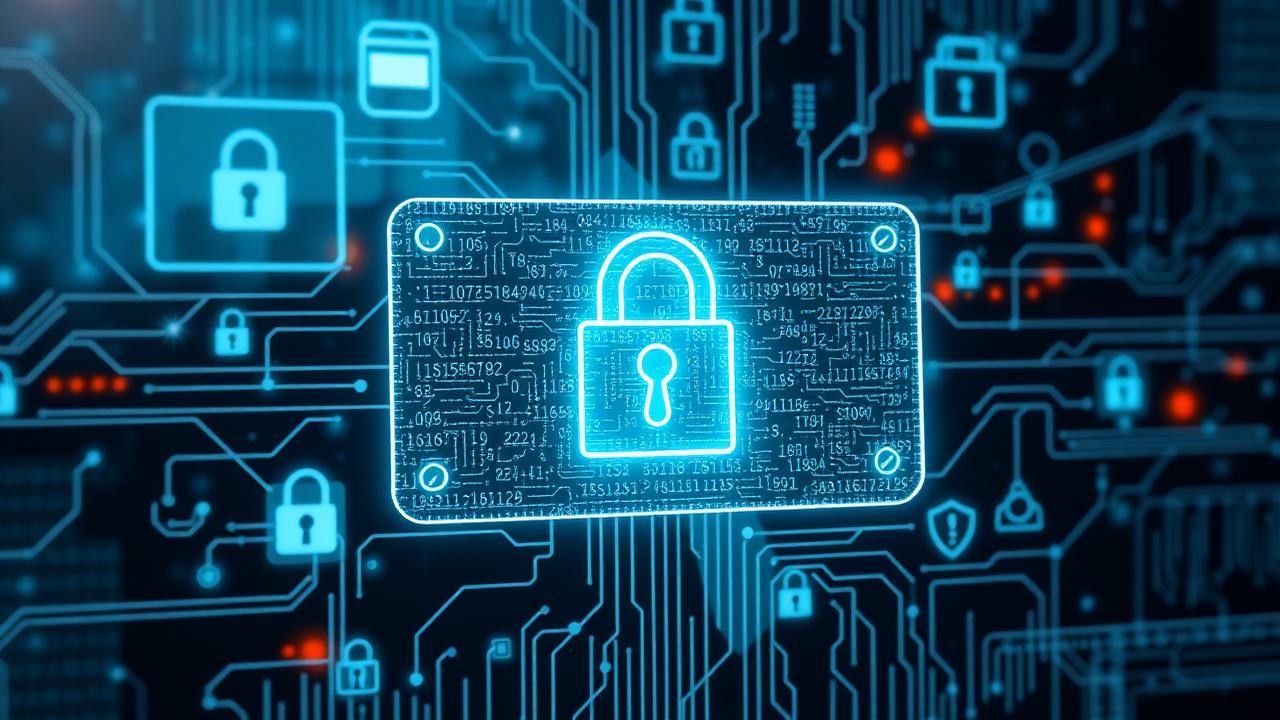
Your notes contain your most sensitive information: passwords and credentials, financial information, medical records, business secrets, personal thoughts and fears, and relationship details. Yet most people use note-taking apps with zero encryption and cloud sync to unknown servers, no privacy policies review, password sharing, and sync to unsecured devices.
The risk is real: 43% of companies experienced data breaches in 2024, average breach cost is $4.45M, personal data sold on dark web, and reputation damage from leaked private notes. But security doesn't have to be complicated. This guide covers everything you need to protect your notes.
Understanding Encryption
Types of Encryption
1. No Encryption (Plaintext Storage)
- Your notes stored as readable text
- Anyone with access can read them
- No protection if device stolen
- Risk Level: Extreme
- Apps: Apple Notes (free tier), Google Keep, most basic apps
- Use for: Nothing sensitive. Shopping lists only.
2. At-Rest Encryption (Server-Side)
- Notes encrypted on company servers
- Company has decryption keys
- Employees can potentially read your notes
- Protected from external hackers
- Risk Level: Moderate
- Apps: Evernote, Notion
- Use for: Work notes, non-sensitive personal notes
3. End-to-End Encryption (E2EE)
- Notes encrypted before leaving your device
- Only you have decryption key
- Company cannot read your notes
- Even if servers hacked, notes unreadable
- Risk Level: Low
- Apps: Standard Notes, Joplin
- Use for: Everything sensitive
4. Zero-Knowledge Architecture
- Company cannot access your data
- Password never sent to server
- All encryption on your device
- Ultimate privacy
- Risk Level: Minimal
- Apps: Standard Notes, Cryptee
- Use for: Maximum security needs
5. Local-Only (No Cloud)
- Notes never leave your device
- No cloud sync, no servers
- Complete privacy
- Risk of device loss
- Risk Level: Low (privacy), High (data loss)
- Apps: Obsidian (local mode), text files
- Use for: Ultra-sensitive, offline use
How to Verify Encryption
Don't trust marketing. Verify:
- Read privacy policy - How is data encrypted? Who can access it?
- Check technical docs - What encryption algorithm? (AES-256 is standard)
- Look for audits - Has security been independently verified?
- Test recovery - If you forget password, can they recover notes? (No = good)
- Research history - Any past security breaches?
Common Privacy Risks
Risk 1: Unencrypted Cloud Sync
The Problem: Notes sync to cloud servers you don't control. Company employees can read them. Hackers can breach servers. Governments can subpoena data.
The Fix:
- Use apps with end-to-end encryption
- Or use local-only apps without cloud sync
- Never store passwords, SSNs, or financial data in unencrypted notes
Apps with E2EE: Standard Notes, Joplin, Day One (paid)
Risk 2: Device Access
The Problem: If someone gets physical access to your unlocked device, they can read everything.
The Fix:
- Lock your devices (passcode, Face ID, fingerprint)
- Use app-level locks (many note apps offer this)
- Log out on shared computers
- Enable "require authentication" before viewing notes
- Turn on auto-lock (don't leave device unlocked)
Best Practice: Use biometric authentication for notes app.
Risk 3: Backup Exposure
The Problem: Your backups (iCloud, Google Drive) might not be encrypted. Your notes could be exposed through backups even if the app is secure.
The Fix:
- Check backup encryption settings
- iCloud: Encrypted but Apple has keys
- Google Drive: Check encryption status
- Use encrypted backup solutions
- Or use local backups with encryption
Risk 4: Accidental Sharing
The Problem: You share a note or notebook, forgetting it contains sensitive info. Recipient now has permanent copy.
The Fix:
- Review before sharing
- Use separate notebooks for sensitive content
- Set expiration on shared links
- Revoke sharing when no longer needed
- Consider sharing screenshot instead of live link
Best Practice: Never share notes with passwords or financial info.
Risk 5: Third-Party Integrations
The Problem: Apps that connect to your notes (automation, AI tools) might store data insecurely or share with partners.
The Fix:
- Minimize integrations
- Review permissions before connecting
- Check third-party privacy policies
- Revoke unused integrations
- Use API keys with limited scope
Threat Models: What Are You Protecting Against?
Security isn't one-size-fits-all. Consider your threat model:
Level 1: Casual Privacy (Most People)
Threats:
- Curious friends/family
- Thieves who steal device
- Basic hackers
Protection Needed:
- Device lock screen
- Encrypted app (like Luma)
- Strong password
- Regular backups
Sufficient Apps: Luma, Day One, Notion, Evernote
Level 2: Professional Privacy (Business, Medical)
Threats:
- Competitors
- Disgruntled employees
- Corporate espionage
- Legal discovery
Protection Needed:
- End-to-end encryption
- Access logging
- Regular security audits
- Compliance (HIPAA, GDPR)
- No third-party integrations
Sufficient Apps: Standard Notes (E2EE), Standard Notes, Joplin
Level 3: High-Risk Privacy (Journalists, Activists)
Threats:
- Government surveillance
- Advanced persistent threats
- Targeted attacks
- Legal pressure on service providers
Protection Needed:
- Zero-knowledge encryption
- Local-only storage
- Open source (auditable)
- Anonymous accounts
- Disposable devices
- Air-gapped systems
Sufficient Apps: Standard Notes, Joplin (local), Cryptpad, Encrypted text files
Level 4: Maximum Security (Intelligence, Legal)
Threats:
- Nation-state actors
- Industrial espionage
- Advanced forensics
Protection Needed:
- Everything from Level 3, plus:
- Physically separate devices
- No cloud ever
- Full disk encryption
- Secure enclaves
- Professional OPSEC training
Sufficient: Custom solutions, Tails OS, air-gapped encrypted systems
App Privacy Comparison
Luma - Privacy
Encryption: Encrypted in transit and at rest on our hosted database. Not end-to-end encrypted, so we could technically access note contents. Storage: Hosted cloud database, private to your account by default Access: Your account; notes are only public if you explicitly create a share link Privacy Policy: Clear, no selling of personal data Audits: No independent third-party security audit published Pros: Affordable, simple, private-by-default sharing model Cons: No end-to-end encryption or zero-knowledge storage; newer app Best for: Everyday study and work notes, not for secrets that require zero-knowledge storage
Standard Notes - Privacy
Encryption: End-to-end encrypted Storage: Zero-knowledge architecture Access: Only you Privacy Policy: Privacy-first design Audits: Open source, audited Pros: Maximum privacy, open source Cons: Basic features, less user-friendly Best for: Security-conscious users, professionals
Notion - Privacy
Encryption: Server-side only Storage: Company can access Access: Notion employees can view Privacy Policy: Standard tech company Pros: Great features, collaboration Cons: Not private, company has access Best for: Team collaboration on non-sensitive work
Evernote - Privacy
Encryption: Server-side only Storage: Company can access Access: Employees can view for "support" Privacy Policy: Data mining for features Pros: Mature platform, features Cons: Poor privacy history, expensive Best for: Non-sensitive content only
Apple Notes - Privacy
Encryption: E2EE if using iCloud with Advanced Data Protection Storage: iCloud (Apple has keys without ADP) Access: Apple can access (without ADP), you only (with ADP) Privacy Policy: Better than most big tech Pros: Free, simple, E2EE available Cons: Apple ecosystem only, E2EE requires setup Best for: Apple users who enable Advanced Data Protection
Obsidian - Privacy (Local vs Sync)
Encryption: Local files (your responsibility) or E2EE sync Storage: Local or encrypted cloud Access: Only you Pros: Local-first, markdown files, privacy-focused Cons: Sync costs extra, technical setup Best for: Power users wanting local control
Best Practices for Secure Note-Taking
1. Use Strong Passwords
Requirements:
- 16+ characters
- Mix of letters, numbers, symbols
- Unique (not used elsewhere)
- Not personal info (birthdate, name)
Better: Use Password Manager
- Generate random strong passwords
- Store securely
- Auto-fill
- Sync across devices
Best managers: 1Password, Bitwarden, LastPass
2. Enable Two-Factor Authentication (2FA)
Adds second verification step after password. Even if password stolen, account protected.
Types:
- SMS (better than nothing, but insecure)
- Authenticator app (Google Authenticator, Authy) - Good
- Hardware key (YubiKey) - Best
Enable 2FA on: Note-taking app, email (protects password reset), cloud storage (protects backups)
3. Separate Sensitive Content
Don't mix public and private:
Create separate notebooks:
- Public/Shareable (work projects, study notes)
- Personal Private (journal, health)
- Maximum Security (passwords, financial, legal)
Benefits:
- Easier to manage permissions
- Reduces accidental sharing risk
- Can use different apps for different security levels
4. Regular Security Audits
Monthly 15-minute check:
Review:
- Who has access to shared notebooks? (revoke old shares)
- What integrations are connected? (remove unused)
- Are backups working and encrypted?
- Any suspicious login activity?
- Is app updated to latest version?
5. Keep Apps Updated
Security patches fix vulnerabilities. Enable auto-updates or check weekly.
6. Use Secure Networks
Public WiFi is insecure:
When on public WiFi:
- Use VPN (encrypts all traffic)
- Or use cellular data
- Never access sensitive notes on public WiFi without VPN
Best VPNs: Mullvad, ProtonVPN, IVPN
7. Think Before You Store
Some things shouldn't go in notes ever:
Never store:
- Credit card numbers (use password manager)
- Social Security numbers
- Passwords (use password manager)
- Private keys or seed phrases
- Explicit photos (too risky if hacked)
Consider storing:
- Encrypted passwords (with master password)
- Redacted financial info (last 4 digits only)
- Coded sensitive info
What to Do if Compromised
If you suspect your notes were accessed:
Immediate Actions (First Hour):
- Change passwords (notes app, email, any accounts mentioned in notes)
- Enable 2FA if not already
- Review access logs (see what was accessed)
- Revoke all shared links
- Log out of all devices
- Scan devices for malware
Short-Term Actions (First Week):
- Review recent notes for what was exposed
- Notify affected parties if needed
- Change any passwords mentioned in notes
- Monitor for identity theft
- Consider credit freeze if financial info exposed
- Document the incident
Long-Term Actions:
- Switch to more secure app if needed
- Implement better security practices
- Review and update threat model
- Set up monitoring for personal info
Compliance: Legal Requirements
HIPAA (Healthcare)
If storing patient health information:
- Must use HIPAA-compliant service
- Business Associate Agreement (BAA) required
- Audit logs mandatory
- E2EE recommended
HIPAA-Compliant Apps: Luma (Enterprise), Standard Notes, Purpose-built medical apps
GDPR (European Union)
If handling EU citizens' data:
- Right to access data
- Right to deletion
- Data portability
- Encryption required for sensitive data
Most note apps comply, but verify.
CCPA (California)
Similar to GDPR:
- Right to know what's collected
- Right to delete
- Opt-out of data selling
Check: App's privacy policy for compliance statement.
Bottom Line
Note security depends on your threat model and the sensitivity of your content. For most people, use end-to-end encrypted app (Standard Notes), strong unique password + 2FA, device lock screen, and regular backups.
For professionals, add zero-knowledge encryption, no third-party integrations, regular security audits, and compliance verification.
For high-risk users, use open-source audited apps, local-only storage, air-gapped devices, and professional OPSEC.
Best privacy-focused apps: Luma (best balance of security and usability), Standard Notes (maximum privacy), Joplin (open source), Obsidian (local-first).
Security is a spectrum. Perfect security doesn't exist. The goal is to make the cost of attack higher than the value of your data.
For more information, see our guides on organizing digital notes and best note-taking apps.
Luma Editorial Team
• EditorialLuma's editorial team researches and writes these guides based on publicly available information, hands-on use of Luma and other apps, and reader feedback. Articles are reviewed and updated periodically to keep pricing and features accurate.
Ready to Apply These Tips?
Luma turns the notes you write into a summary and flashcards. The free plan is permanent — no card needed.
Related Articles
Voice Notes in Luma: Browser Dictation vs. Record-and-Transcribe
An honest look at how voice note capture works: live browser dictation vs. recording and transcribing afterward, including Luma’s real capabilities and limits.
Markdown for Notes: The Complete Beginner’s Guide
Learn Markdown for note-taking: headings, emphasis, lists, links, blockquotes, code, and the GitHub-Flavored extensions like tables and task lists, plus a free cheat sheet.
Best Note-Taking Apps 2026: Top 10 Ranked & Reviewed
Comprehensive review of the top 10 note-taking apps in 2026. Compare features, pricing, and find the perfect app for students, professionals, and creatives.
How to Take Notes on iPad 2025: Complete Guide
Master iPad note-taking with our comprehensive guide. Best apps, Apple Pencil tips, organization systems, and workflows for students and professionals.